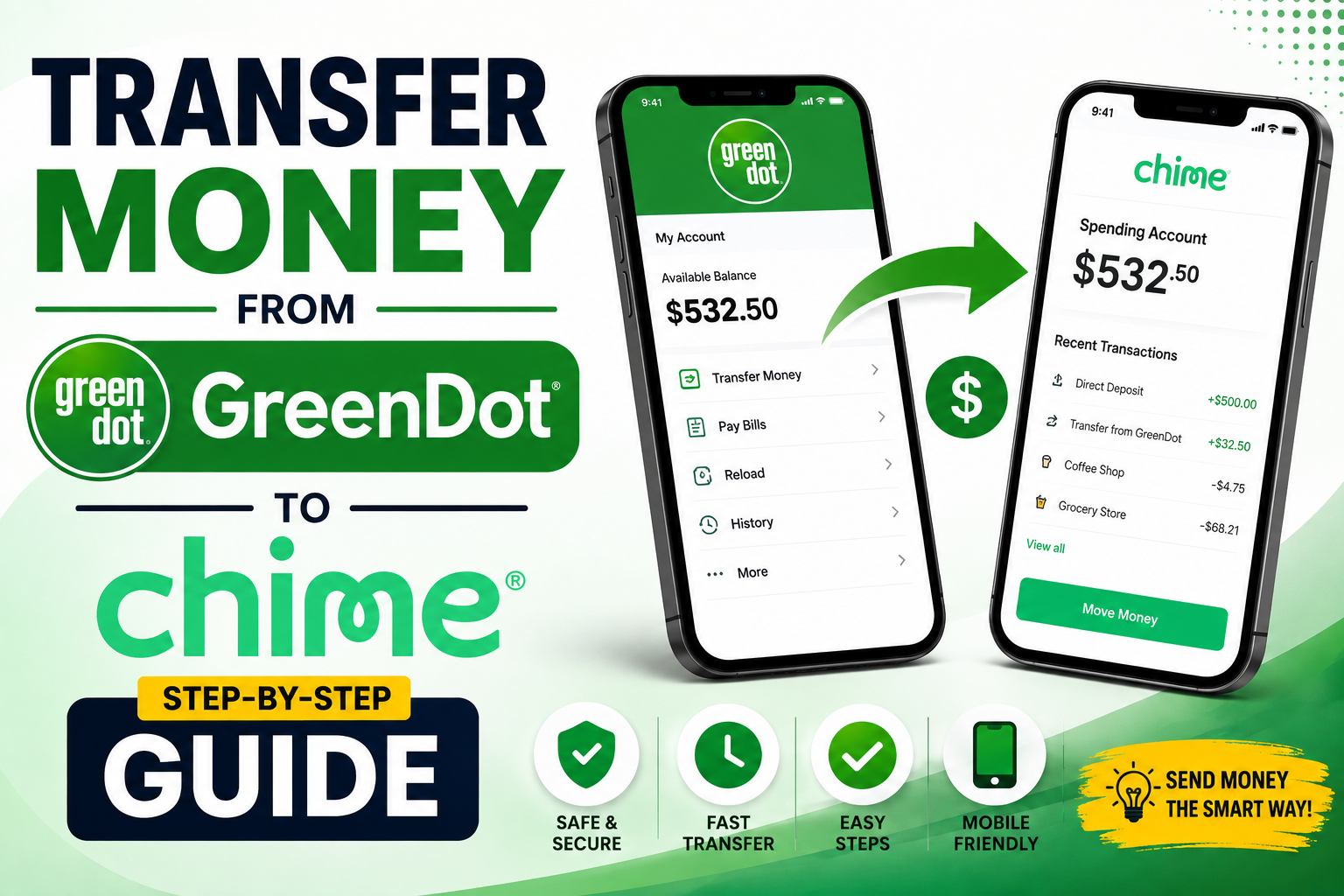
If you want to transfer money from Green Dot to Chime, you can usually do it through a standard bank-to-bank transfer. The easiest option is often to connect your Green Dot account to Chime and move the money through the Chime app.
You can also start the transfer from Green Dot if your account supports external bank transfers.
🚀 Learn AI Video Creation & Start Building Digital Skills
Want to learn how to create AI videos for YouTube, TikTok, Facebook, and other platforms? Choose an option below to get started.
🎥 Start AI Video Training 📚 Watch Free AI Lessons ⭐ Join the Premium AI Program✔ Beginner Friendly | ✔ Learn at Your Own Pace | ✔ Practical AI Video Skills
The process sounds complicated at first, but it really isn’t. You mainly need your Chime routing number and account number, an active Green Dot account, and enough available money to complete the transfer.
In this guide, you’ll learn exactly how to transfer money from Green Dot to Chime in 2026, how long it takes, whether it costs money, what to do when Green Dot won’t connect to Chime, and how to fix common transfer problems.
Can You Transfer Money from Green Dot to Chime?
Yes, you can transfer money from Green Dot to Chime if your Green Dot account supports external bank transfers and your Chime account can be connected successfully.
Green Dot and Chime are separate financial services, so this isn’t the same as transferring money between two accounts at the same bank.
You’re essentially moving money from one financial institution to another.
The process normally works through an electronic bank transfer, commonly using the ACH network.
You have two main options:
- Start the transfer from Green Dot and use your Chime banking details.
- Add your Green Dot account to Chime and initiate the transfer from the Chime app.
Both methods can work, but the option available to you may depend on the specific Green Dot account or card you have.
That’s important because Green Dot offers different products, and not every Green Dot card works exactly the same way.
What You Need to Transfer Money from Green Dot to Chime
Before you start, get everything ready.
You’ll generally need:
- An active Green Dot account
- An active Chime account
- Your Chime routing number
- Your Chime account number
- Access to the Green Dot app or website
- Access to the Chime app
- Enough available money in your Green Dot account
- Correct account information
You should also make sure that the information associated with both accounts is accurate.
If you’re transferring money between accounts that belong to you, the process is usually much simpler.
Don’t randomly use somebody else’s Chime account information simply because they gave you their details. Bank transfers aren’t the same thing as sending money through a regular payment app.
How to Find Your Chime Routing Number and Account Number
If you’re transferring money from Green Dot directly into Chime, you’ll probably need your Chime routing number and account number.
These two numbers are different.
Your routing number identifies the financial institution handling your account.
Your account number identifies your specific Chime account.
You can find your banking information inside the Chime app.
Open the app and look for your account information or banking details.
Depending on the current version of the Chime app, the exact location may look slightly different.
Once you find your numbers, copy them carefully.
Don’t guess.
Don’t use a routing number you found in an old YouTube video.
Don’t assume every Chime customer has exactly the same routing number.
Use the information displayed specifically for your account.
A single incorrect digit can cause the transfer to fail or create unnecessary delays.
How to Transfer Money from Green Dot to Chime
There are two common approaches you can try.
The first is transferring the money from Green Dot to your Chime account.
The second is connecting Green Dot to Chime and starting the transfer inside Chime.
Let’s go through both.
Method 1: Transfer Money from Green Dot to Chime
This method involves starting the transaction from your Green Dot account.
It’s useful if you already have access to Green Dot’s bank-transfer feature.
Step 1: Log Into Your Green Dot Account
Open your Green Dot app and sign into your account.
Make sure you’re using the account that actually holds the money you want to transfer.
Check your available balance before starting.
If the money isn’t available, the transfer may fail.
Step 2: Find the Transfer Option
Look through your Green Dot account for the option related to transferring money or making a bank transfer.
The wording can change as Green Dot updates its app.
You might see something such as:
- Transfer Money
- Bank Transfer
- Move Money
- Transfer Funds
Select the option that allows you to transfer money to an external bank account.
Step 3: Add Your Chime Account
You’ll need to provide your Chime banking information.
Enter your Chime routing number and account number carefully.
If Green Dot gives you the option to search for a financial institution, look for Chime and follow the instructions.
You may also be asked to verify ownership of the external account.
Don’t rush this part.
Banking apps sometimes use additional verification to make sure you’re actually authorized to use the account.
Step 4: Complete the Verification
Depending on your account, Green Dot may require additional verification before allowing the transfer.
Follow the instructions shown on your screen.
If you’re asked to confirm information, make sure it matches your actual Chime account.
You shouldn’t try to bypass verification.
It’s there to protect your money.
Step 5: Enter the Amount You Want to Transfer
Enter the amount you want to move from Green Dot to Chime.
For example, if you have $600 in Green Dot and want to move $250, enter $250.
Before submitting the transaction, check whether Green Dot displays any transfer limits or fees.
Don’t assume every transfer is free simply because you’re transferring your own money.
Step 6: Review Everything
Before confirming the transaction, check:
- Chime routing number
- Chime account number
- Transfer amount
- Destination account
- Available balance
- Transfer fee, if any
- Estimated processing time
This takes less than a minute.
It’s worth doing.
Step 7: Submit the Transfer
Once everything looks correct, submit the transfer.
You’ll normally receive some type of confirmation or transaction status.
Keep an eye on your Green Dot account and Chime account until the money arrives.
Method 2: Transfer Money from Green Dot to Chime Through Chime
For many people, this is the easier method.
Instead of trying to send the money from Green Dot, you can add Green Dot as an external bank account inside Chime and then transfer money into Chime.
Step 1: Open the Chime App
Open your Chime app and sign into your account.
Go to the section where you manage or move money.
Look for the transfer option.
Step 2: Select Transfer Money
Choose the option to transfer money.
You’ll normally see an option to select where the money is coming from and where you want it to go.
Since your Green Dot account isn’t currently connected, you’ll need to add it first.
Step 3: Add Your Green Dot Account
Select the option to add another bank account.
Search for Green Dot.
Depending on your Green Dot product, Chime may allow you to connect the account through an account-linking service.
You may be asked to sign into Green Dot or provide account information.
Follow the instructions shown by Chime.
Step 4: Verify the Green Dot Account
Complete the verification process.
If Chime successfully connects to your Green Dot account, it should become available as an external funding account.
If it doesn’t connect, don’t keep trying random information.
Check whether you selected the correct Green Dot institution and whether your particular Green Dot product supports the connection.
Step 5: Select Green Dot as the Source
Once the account is connected, choose Green Dot as the account you want to transfer money from.
Then select your Chime account as the destination.
Step 6: Enter the Amount
Enter the amount you want to transfer.
For example, if you’re moving $100 from Green Dot to Chime, enter $100.
Make sure you actually have enough available money in Green Dot.
Step 7: Confirm the Transfer
Review the details one final time.
If everything is correct, confirm the transfer.
The money may not appear immediately.
That’s normal for many bank transfers.
How Long Does It Take to Transfer Money from Green Dot to Chime?
This is where people often get frustrated.
A Green Dot to Chime bank transfer is generally not an instant transaction.
Standard ACH transfers can take several business days.
Depending on the transfer method, verification, processing times, weekends, holidays, and other factors, your money may take a few business days to reach your Chime account.
You shouldn’t start a transfer on Friday afternoon and immediately panic when the money isn’t there on Saturday.
Banks and financial institutions don’t process every ACH transaction like an instant payment.
Weekends and federal holidays can also affect the timeline.
For that reason, give the transfer enough time before assuming something went wrong.
Does Green Dot to Chime Transfer Instantly?
Usually, you should not expect a standard Green Dot-to-Chime bank transfer to be instant.
ACH transfers are designed for electronic bank-to-bank movement, but they don’t necessarily settle immediately.
If you see an instant transfer option, check the conditions and fees before using it.
The fastest option isn’t always the cheapest option.
If you’re transferring money for rent, bills, or an important payment, plan ahead instead of waiting until the last minute.
Is It Free to Transfer Money from Green Dot to Chime?
The answer depends on your particular Green Dot account, transfer method, and current terms.
Some transfers may be free, while other services or transfer methods may have fees.
That’s why you should check the transfer screen before confirming the transaction.
If Green Dot displays a fee, you’ll usually see it before completing the transaction.
Don’t rely on an old article claiming that transfers are always free.
Financial companies change their pricing and policies.
The safest approach is simple: check what Green Dot shows you when you’re actually making the transfer.
Can You Transfer Money from a Green Dot Card to Chime?
This depends on what type of Green Dot card you have.
This is where many people get confused.
A Green Dot debit card and a bank account are connected, but the 16-digit card number isn’t the same thing as your bank account number.
A standard bank transfer usually requires bank account information rather than simply the card number.
If your Green Dot product supports external bank transfers, you may be able to transfer the balance to your Chime account.
However, you shouldn’t assume that entering your Green Dot card number into Chime will automatically transfer your balance.
If Chime gives you a supported card-based funding option, you can follow the instructions shown in your account.
Otherwise, you’ll generally need to use the bank-transfer method.
Can You Transfer Money from Green Dot to Chime Without a Bank Account?
If by “without a bank account” you mean without a traditional bank such as Chase, Bank of America, or Wells Fargo, Chime itself can serve as your banking destination.
You don’t necessarily need a traditional brick-and-mortar bank.
However, you still need an eligible Chime account and a supported method for transferring the money.
Green Dot also needs to support the transfer method you’re trying to use.
You can’t simply transfer money using only a Chime username.
A bank transfer requires the appropriate account information.
What If Green Dot Doesn’t Appear in Chime?
Don’t panic.
This doesn’t automatically mean that Green Dot and Chime can’t work together.
First, check the exact Green Dot product you’re using.
Green Dot has different financial products, and account-linking services may identify them differently.
Try searching carefully for Green Dot.
If Chime offers a manual account-linking option, you can try entering the required banking details manually.
If that still doesn’t work, you can try starting the transfer from Green Dot instead.
In other words, you have two sides you can test.
If Chime can’t connect to Green Dot, try Green Dot.
If Green Dot can’t connect to Chime, check whether Chime can establish the external account connection.
Why Is My Green Dot to Chime Transfer Pending?
A pending transfer doesn’t necessarily mean your money is lost.
It can simply mean the transaction hasn’t completed yet.
Some common reasons include:
- The transfer is still being processed
- The transaction was initiated outside normal banking hours
- A weekend interrupted processing
- A federal holiday affected processing
- Additional verification is required
- The financial institution is reviewing the transaction
- The account connection hasn’t been fully verified
- The transfer hasn’t reached the receiving institution yet
The biggest mistake you can make is submitting the same transfer again because you don’t see the money immediately.
Don’t do that.
You could accidentally create multiple transactions.
Instead, check the status of the original transfer first.
What If Your Green Dot to Chime Transfer Failed?
If your transfer failed, start with the obvious things.
Check your Chime routing number.
Check your Chime account number.
Check the amount you’re trying to transfer.
Check your Green Dot balance.
Check whether your Green Dot account is active.
Check whether your Chime account is active.
Check whether either company is requesting additional verification.
You should also check for transfer limits.
If everything looks correct and the transfer still fails, contact the financial institution that initiated the transfer.
If you started the transfer from Green Dot, contact Green Dot first.
If you started it through Chime, check your Chime transfer information first.
The institution that initiated the transaction will usually have the most useful information about its status.
Green Dot to Chime Transfer Limits
Transfer limits can vary depending on your account and the type of transaction you’re making.
Don’t assume that because someone on Reddit transferred $5,000, you can automatically do the same thing.
Your account may have different limits.
Your verification status may also matter.
The transfer method can affect the limit as well.
Before transferring a large amount, check the limit displayed in your account.
If you’re unsure whether the connection works, you can also consider testing it with a small amount first, assuming your account permits it.
For example, if you want to transfer $1,000, you could first test the connection with a smaller amount.
Once the money arrives successfully, you know the accounts are communicating properly.
Can You Transfer Money from Chime Back to Green Dot?
Yes, the same general concept can work in the opposite direction.
You can potentially link your Green Dot account as an external bank account and transfer money from Chime to Green Dot.
The exact process depends on your accounts and the transfer options currently available.
Inside Chime, you can look for the option to transfer money to an external bank account.
You’ll need the appropriate Green Dot banking information.
Again, don’t confuse the Green Dot card number with the bank account number.
Use the correct banking information displayed for your Green Dot account.
Can Someone Else Transfer Money from Green Dot to My Chime?
This is different from transferring money between your own accounts.
If another person wants to send you money, directly connecting their Green Dot account to your Chime account may not be the best option.
A person-to-person payment service may be more appropriate.
The important thing is to use a legitimate transfer method supported by both services.
Never give someone your Chime password or security code just because they claim they need it to send you money.
They don’t need your password to make a legitimate payment to you.
Green Dot to Chime Transfer vs Payment Apps
You may be wondering whether you should use a bank transfer or a payment app.
It depends on what you’re trying to accomplish.
If you’re moving your own money from Green Dot to your own Chime account, a bank transfer is usually the logical choice.
If someone else is paying you, a person-to-person payment method may be easier.
If you need to move a large amount, you should consider the transfer limits, fees, processing times, and security requirements of each option.
Don’t choose a method just because someone says it’s “faster.”
Look at the entire transaction.
A fast transfer that costs a large fee isn’t necessarily a better deal.
Tips for Safely Transferring Money from Green Dot to Chime
Double-Check Your Banking Information
This sounds obvious, but it’s one of the easiest mistakes to make.
Before confirming the transfer, check your routing number and account number.
Don’t rush.
Don’t Share Your Password
Nobody helping you with a normal transfer needs your Green Dot or Chime password.
Never give your password to a stranger.
Don’t Share Security Codes
One-time verification codes are private.
If someone asks you to send them a code from Chime or Green Dot, stop.
They may be attempting to access your account.
Use Official Apps
Use the official Green Dot and Chime apps when possible.
Avoid entering your banking information into random websites promising to “unlock” your transfer.
Check the Fee Before Confirming
If a fee appears, look at it before you approve the transaction.
Don’t assume the transaction is free.
Don’t Repeat a Pending Transfer
If your first transfer is pending, wait and check its status.
Don’t immediately submit another one.
That can create unnecessary problems.
Common Green Dot to Chime Transfer Problems
Here are some of the most common issues you may encounter.
Green Dot Account Cannot Be Linked
Your particular Green Dot product may not be supported by the account-linking system.
Try checking the account type and available connection options.
Chime Doesn’t Recognize Green Dot
Search carefully and make sure you’re selecting the correct financial institution.
If a manual connection is available, try that instead.
Transfer Is Taking Too Long
Give the transaction enough time to process.
ACH transfers aren’t always instant.
Check for weekends and holidays.
Transfer Was Rejected
Check your account information and available balance.
If everything is correct, contact the institution that initiated the transfer.
Money Was Deducted but Hasn’t Appeared in Chime
Don’t immediately submit another transfer.
Check the transaction status first.
The transfer may still be processing.
If the expected processing period has passed, contact the appropriate financial institution.
Frequently Asked Questions
Can I transfer money from Green Dot to Chime?
Yes. You can generally transfer money between the two if your Green Dot account supports external bank transfers and the accounts can be connected properly.
How long does Green Dot to Chime take?
A standard bank transfer can take several business days. Processing time depends on the transfer method, account verification, weekends, holidays, and the financial institutions involved.
Can I transfer money from Green Dot to Chime instantly?
You shouldn’t assume that a standard bank transfer will be instant. Most standard ACH transfers require processing time.
Do I need my Chime routing number?
Yes, you’ll generally need your Chime routing number and account number when manually setting up a bank transfer.
Can I use my Green Dot card number?
Not for a standard bank transfer. Your debit card number is different from your bank account number and routing number.
Why can’t I connect Green Dot to Chime?
The issue could be related to your specific Green Dot product, account verification, incorrect information, or the external-account connection service.
Can I transfer money from Chime to Green Dot?
Yes, if the appropriate external-bank transfer option is available for your accounts.
Is transferring money from Green Dot to Chime free?
It depends on the transfer method and the terms of your Green Dot account. Check the fee displayed before confirming your transfer.
What happens if my transfer is pending?
Wait for the normal processing period and check the status of the transaction. Don’t submit another transfer simply because the first one hasn’t arrived yet.
Final Thoughts
Transferring money from Green Dot to Chime isn’t as complicated as it may seem.
You generally have two options: start the transfer from Green Dot using your Chime banking information, or connect Green Dot to Chime and initiate the transfer through the Chime app.
The most important thing is to use the correct routing number and account number and to understand that standard bank transfers aren’t necessarily instant.
If you’re transferring money for something important, give yourself enough time for the transaction to process.
And don’t make the mistake of repeatedly sending the same transfer because the money hasn’t arrived yet. Check the status first.
Once your Green Dot and Chime accounts are properly connected, future transfers should be much easier.
The goal is simple: verify your accounts, enter the correct information, check the amount and fees, submit the transfer, and give the banking system enough time to process it.